Every AirMirror Pro release, newest first: what it added, what it changed and what it fixed.
8 October 20263.2Latest
Your iPhone's notifications, now on your PC
Notifications from your iPhone now appear on your PC as they arrive, and with Pro you can
reply to texts without unlocking your phone. Everyone gets a Control Center with AirPods battery levels,
Command shortcuts while controlling the iPhone, and two new languages.
New for Pro
iPhone notifications on your PC. They slide in at the top right as they arrive, with
calls, texts and app alerts.
Reply to texts right from the notification, without unlocking your phone. Type, press
Enter, and it goes out from your iPhone's Messages.
Missed one? Rest the pointer on the right edge of the screen to see everything that
arrived since your iPhone connected.
Kept out of your recordings. Notifications stay out of screen recordings and screen
shares, and wait while NVIDIA Instant Replay records.
New for everyone
Control Center with the battery of each AirPod and the case.
Animated AirPods that follow along, from opening the case to putting them in.
AirPods Max show whether they're on your head.
Switch to another pair of AirPods in one click.
Command shortcuts. While you control your iPhone, Ctrl and the Windows key work as
Command, so copy, paste and the rest work as they do on the phone's own keyboard.
Minimize to the tray.
Now in Arabic and Russian, 24 languages in all. In Arabic the whole app reads right to
left.
Improved
Recordings stay in sync after long silences and keep their last frame.
Only one copy of the app runs at a time. Opening it again brings back the one that is
running.
Closing the iPhone window brings the main window back.
A note in the status bar when another app recording the screen adds delay to the
picture.
Notifications and replies need the Bluetooth pairing that iPhone control sets up; the app walks you
through it. Replies work with Messages, not group chats.
1 October 20263.1.2
Recordings open in your video editor with their sound
Some video editors, Adobe Premiere Pro among them, imported AirMirror Pro recordings as
video only, with no sound. The audio was in the file, but in the format the iPhone sends over AirPlay,
which most players read and those editors do not. Recordings made before this update keep their old
audio format.
Fixed
Sound in video editors. Recordings now save their audio as standard AAC at 48 kHz
stereo, the format video editors expect.
Audio stays in sync for the whole recording, including after a pause in the
iPhone's sound. Before, a long recording could slowly drift out of sync once it was in an
editor.
No missing sound at the start. Recordings used to begin with a short moment of
silence.
No flash at launch. In Simple view, the window no longer shows the Pro layout for
a moment as it opens.
29 September 20263.1.1
Smooth mirroring, all session long
A same-day fix on top of 3.1. Mirroring could turn choppy after a minute or two. We
tracked down the cause, fixed it, and shipped this update as fast as we could.
Fixed
Frame drops in longer sessions. Windows was acknowledging the incoming video too
slowly. The iPhone's send queue filled up and it dropped frames, sometimes to under 10 fps, even on
fast, healthy Wi-Fi. This was not new in 3.1: it had been there in earlier versions too. Mirroring
now holds up to 60 fps for the whole session. A 7-minute test averaged 53 fps with almost no skipped
frames.
Delay stays low and steady instead of creeping up over a session.
A small stutter in regular mirroring. Frames are now shown the moment they
arrive.
29 September 20263.1
Audio sync fixed
AirPlay audio sync is fixed. Sound no longer falls behind when a video starts, an ad plays,
or you change speed. It stays locked to the picture the entire session.
New
Choose your look in Settings: OLED Black, Classic Grey, Navy, or Light. The title bar
matches on Windows 10 too.
Performance Mode gives older and slower PCs a stable 720p at 30 fps experience.
Recording now works on PCs without a hardware video encoder, up to 1080p.
AirMirror Pro is now available in 22 languages, following your Windows language or
your own choice in Settings.
Changed
OBS Mode strips the window down to just the phone screen, no chrome, no borders,
perfect for OBS Window Capture without a capture card.
Recording settings are now simple. Low, Medium, High, or Best. Advanced options are
still there if you want them.
Redesigned menus, a clearer start screen, and a proper bug report tool under
Help.
Fixed
PCs with WSL, Hyper-V, VPN, or virtual network adapters were invisible to the iPhone. That's
gone.
24 September 20263.0
Control your iPhone from your PC
Your PC's mouse and keyboard now drive the iPhone you are mirroring. It is free, like
mirroring. AirMirror Pro also moves to the Microsoft Store.
New
Mouse control. Click the mirror window and your mouse moves the iPhone's pointer.
Click, drag and scroll work the same as on the phone.
Keyboard. Type into the iPhone with your PC keyboard, in your own keyboard layout,
with Command shortcuts like copy and paste.
Esc gives it back. Your cursor returns the moment you press Esc or switch to another
window. Nothing is captured system-wide.
Setup checklist. The first time, the app walks you through pairing the iPhone with
your PC over Bluetooth and turning on AssistiveTouch.
Changed
Now on the Microsoft Store. Signed by Microsoft, so there is no SmartScreen warning,
and the Store keeps the app up to date for you.
Pro is bought inside the app and stays with your Microsoft account, so there is no
licence key to keep track of.
10 September 20262.0.1
Recording fixes and new settings
Recordings start every time and play back at their full length, and a new Settings window
puts quality, frame rate and smoothing in your hands.
New
Settings (File → Settings, or Ctrl+,): mirror quality (Balanced, Native,
Maximum), frame rate (60 or 30 fps) and smoothing (Off, Light, Full).
Native resolution by default. On the test iPhone this delivered more than twice the
pixels of 2.0.0, with fewer dropped frames. The measurements are on the
specs page.
Fixed
Recording could fail to start with an encoder error. Recordings now start and write complete,
playable files.
Windows showed recordings as 2–3 seconds long, however long they really were. They now play in
full in Explorer and Media Player.
The app would not open on PCs without the Microsoft Visual C++ runtime. The runtime now ships with the
app.
Changed
Free recordings stop at 5 minutes and carry a small watermark. The Record button says so before you
start, and a capped recording is still a complete file. Mirroring is never timed.
The app now shows its version and publisher in Properties and in Apps & features.
7 September 20262.0
A new interface
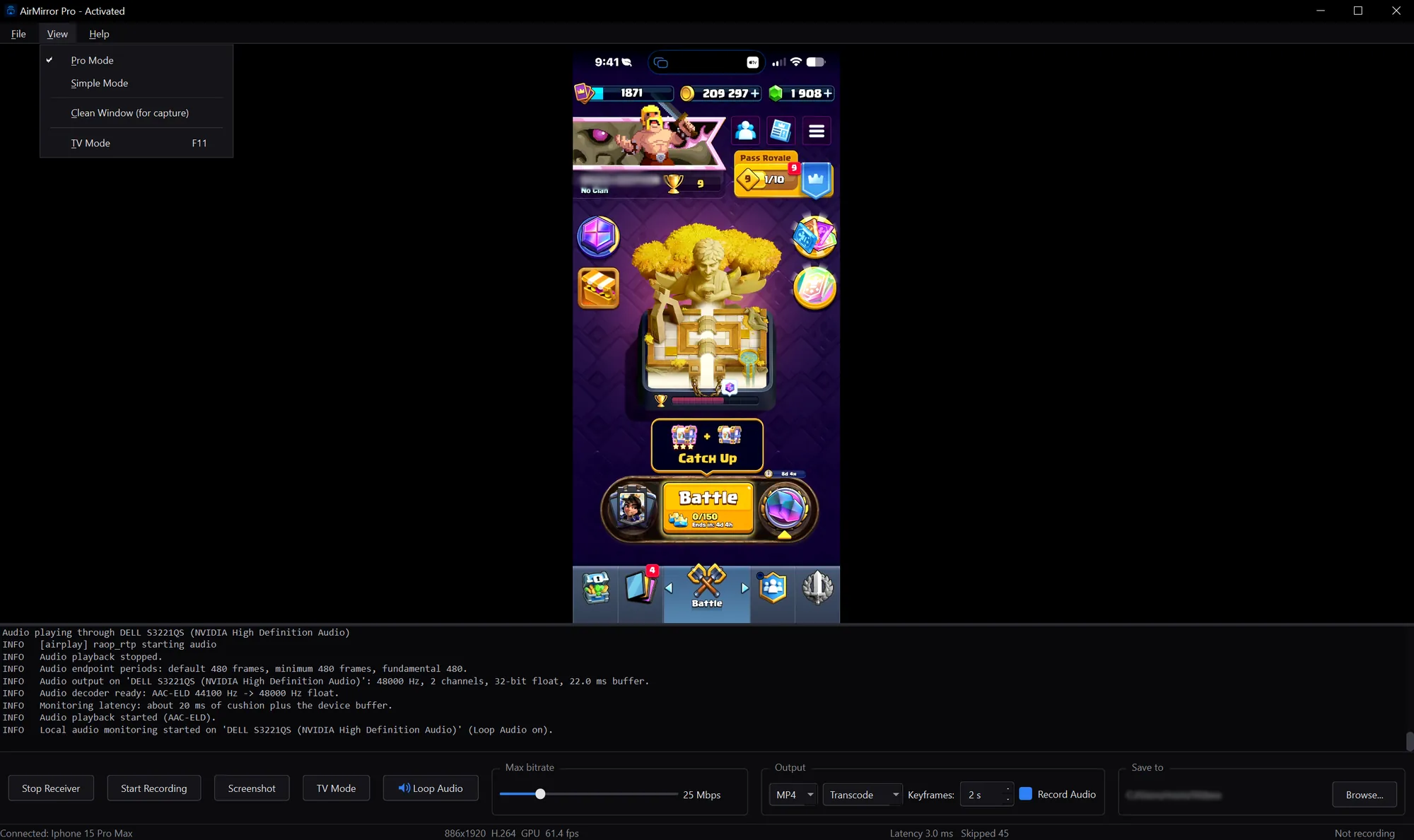
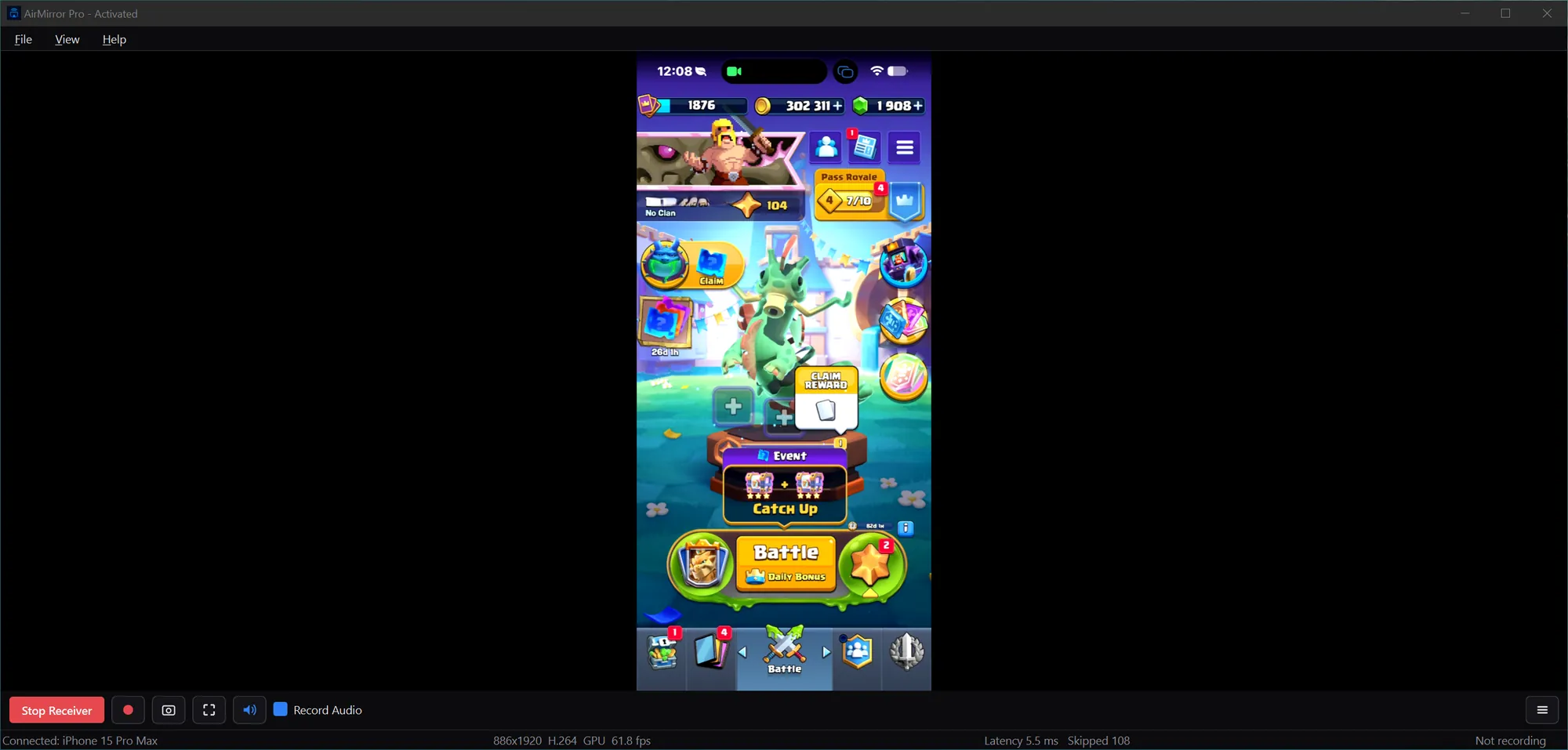
The same phone, the same stream and the same frame rate. What changed is how much of the
window your phone gets.
Changed
Controls out of the way. Every control moved into a compact icon toolbar and a menu,
and the log pane is off by default. Nothing was taken away.
Nothing got slower. 61.8 fps after the redesign, against 61.4 fps before, with
latency still in single-digit milliseconds.
New licence keys. Keys issued from 2.0 onward do not activate on 0.1.0, so 0.1.0
users were asked to update.
Plus many smaller fixes throughout.
Before: every control on screen at once.2.0: the phone gets the window.
9 August 20260.1.0
Where it started
AirPlay receivers for Windows were mostly bad, and the good ones wanted a subscription.
AirMirror Pro set out to be a good one that anyone could use. The first version was built in two days and
three nights. A little over a month later came 3.0.
Choose your PC from Screen Mirroring on the iPhone and its screen appears on your PC, with no
cable, no capture card and nothing to install on the phone.
In the first release
AirPlay screen mirroring from an iPhone to a Windows PC.
Recording, with the bitrate, output format and save location on screen beside the mirror.
A 56 MB installer for Windows 10 or later, with no account needed.